The AI-native workspace for independent insurance agencies.
agentCanvas reads carrier email, policy data and your agency’s own know-how, then hands each producer a briefing, a cited answer or a draft coverage review — ready for a person to check and send.
agentCanvas · Chat
Example accountAsk me about Erie Insurance Agent Services · your knowledge base · carriers · policies · web search
Replay of a chat session, as captured in the app.
53 tools
Insurance chat tools for policies, carriers, email and agency guidance
Sources
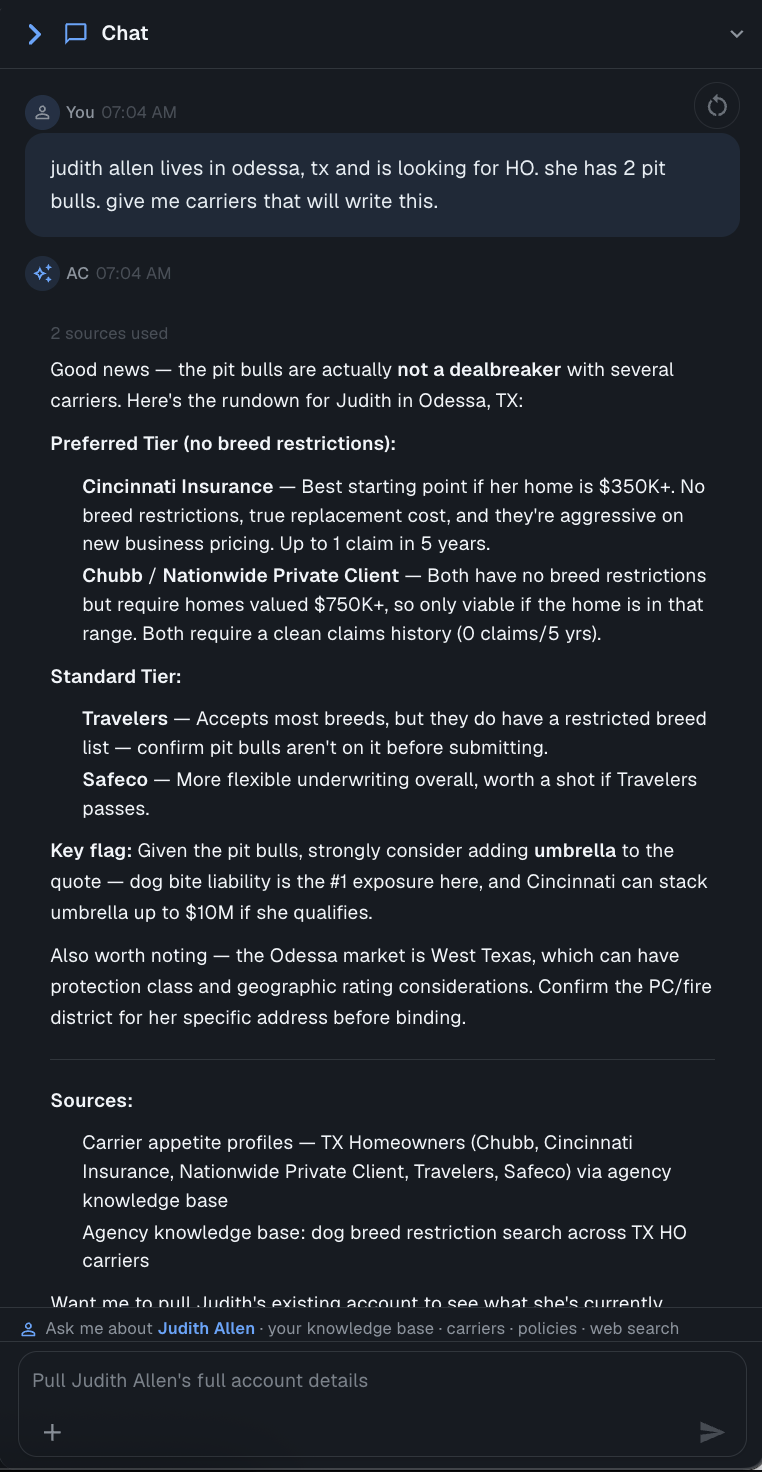
When chat looks up records, it shows the sources used
Isolation
Each agency’s book in its own database
Data in
Canopy Connect, Outlook, Gmail and your own systems
What the AI produces
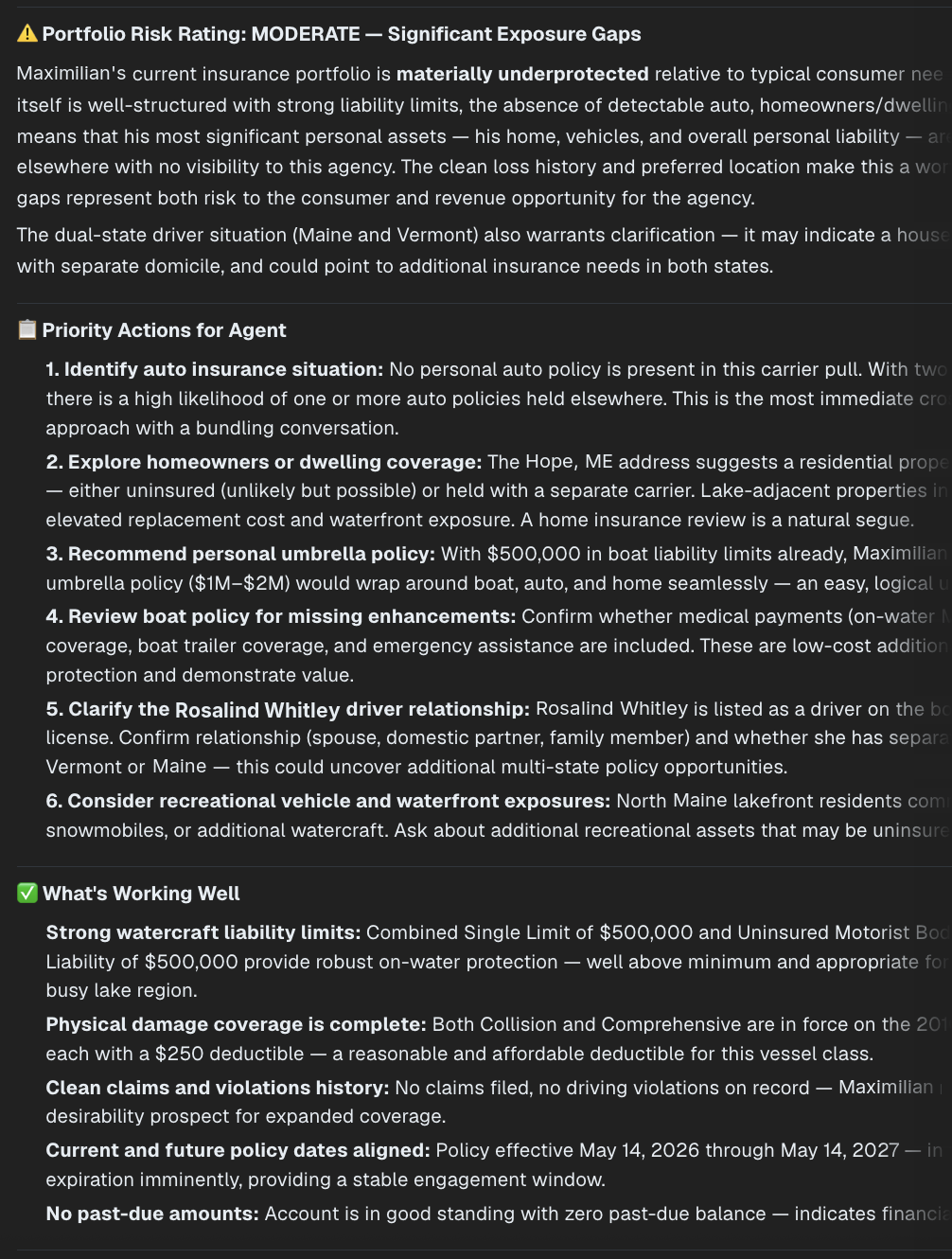
From a client’s carrier data, the AI writes the producer a briefing: a risk rating, priority actions and what is already in good shape.
Ask in plain English. When chat looks things up, such as the agency’s carrier appetite guides, the answer lists the sources it used.
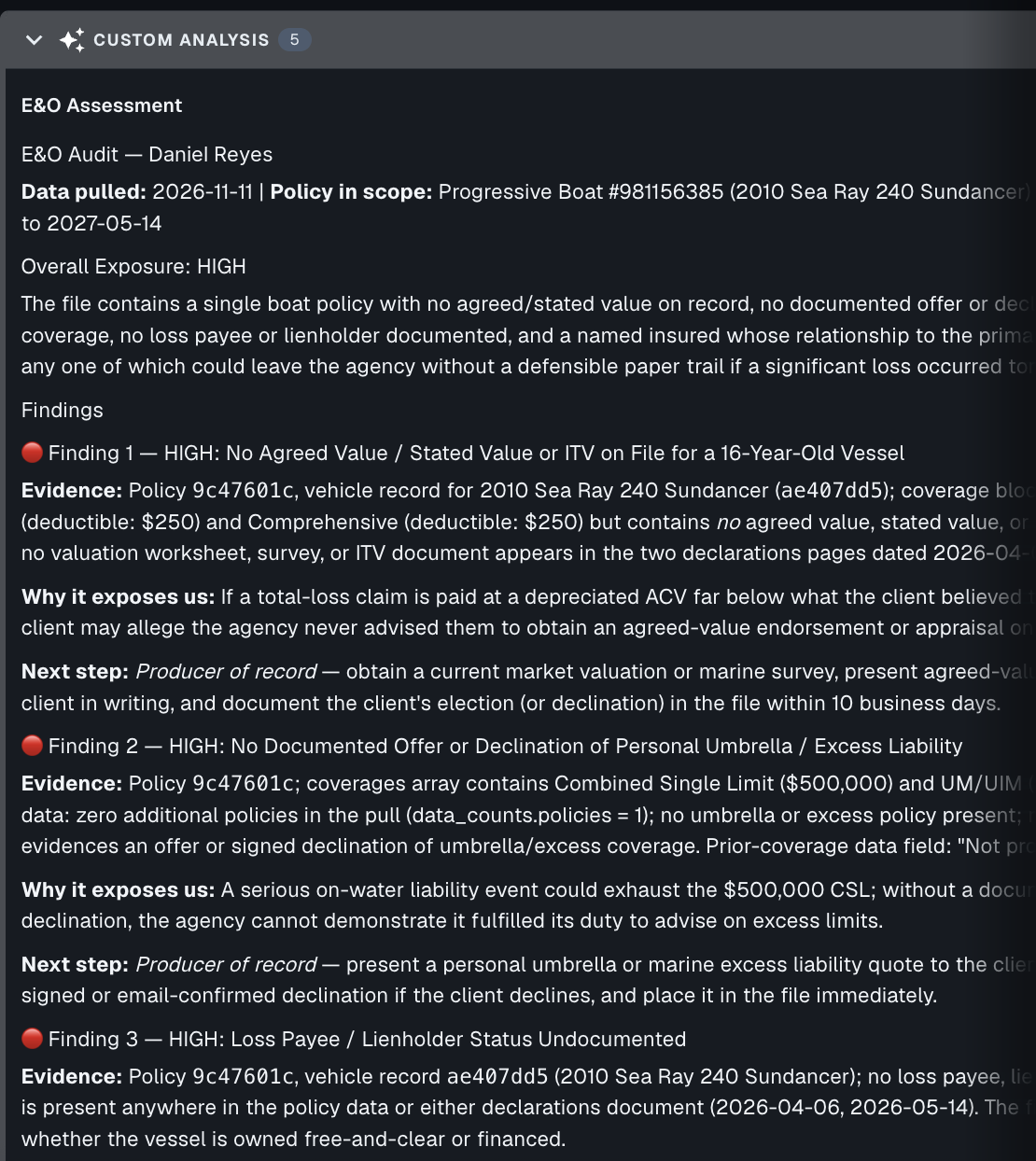
Your team writes a check once, such as an E&O review, and the AI runs it against a client’s policies with the evidence quoted.
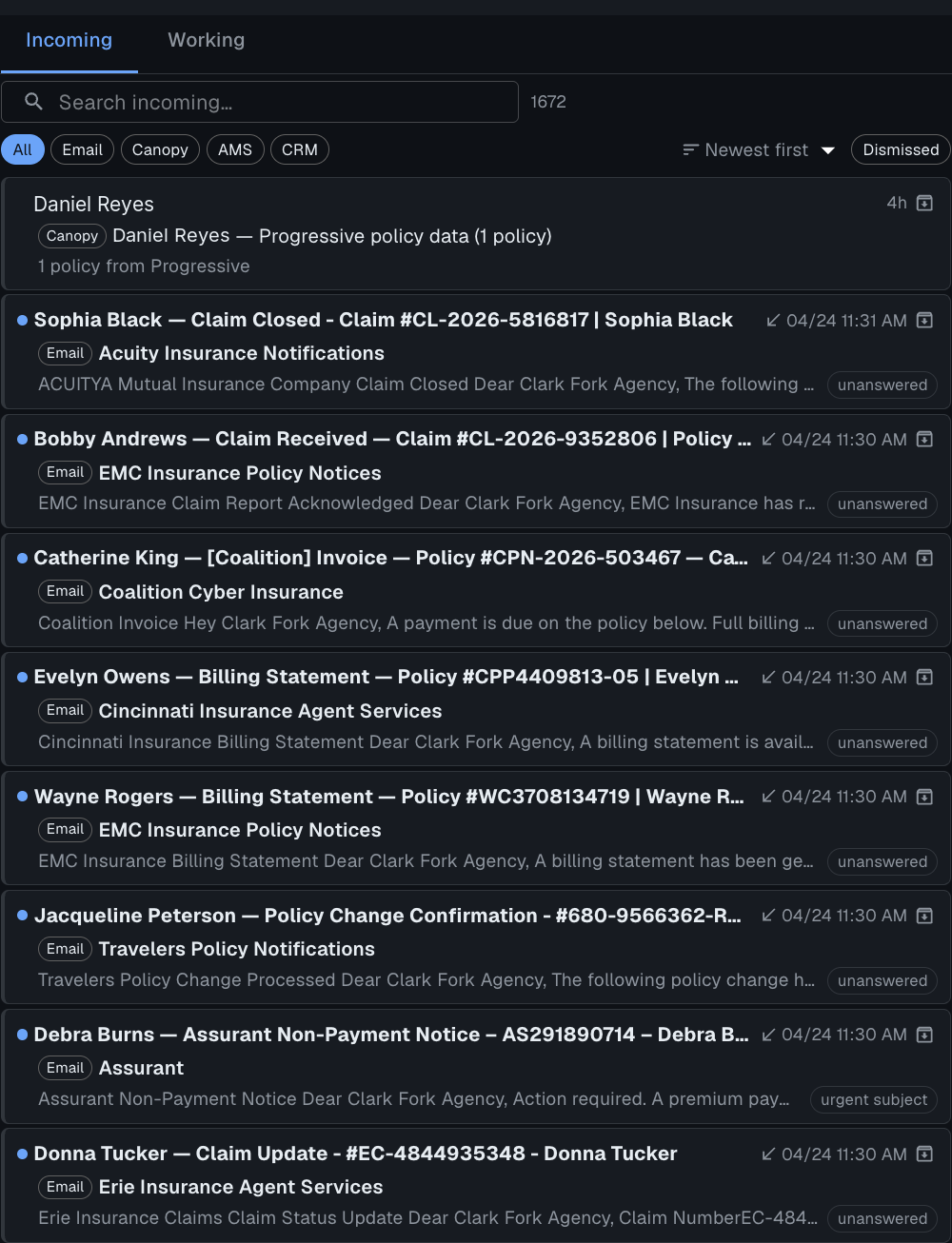
Carrier notices and policy data from connected sources land in one shared incoming view, tagged by where they came from.
What changes in a producer’s day
Less sorting, searching and drafting. The judgement stays with your people.
Today
- 01Open each carrier notice
- 02Find the client it belongs to
- 03Pull up the policy
- 04Check the appetite guide
- 05Write the email from scratch
With agentCanvas
- The notice is already matched to the client
- A briefing is waiting, with its sources
- A draft reply is ready to edit and send
How it works
- 1
Data in
Carrier email, policy data from Canopy Connect, and records from your own systems.
- 2
Context assembled
The client’s records are gathered, and gaps in what was available are recorded.
- 3
AI works within limits
Software sets which model and which tools each task may use. Some analysis runs automatically when data arrives.
- 4
Staff review and send
Client-facing drafts wait for a person to check, edit and send.
See agentCanvas at work
We’ll walk you through the carrier inbox, chat and the checks your staff can write.