Version one
Everything that is already finished
This is the inventory of what your team can use on day one, photographed in the running product. The last section is the part your own staff control without an engineer, and it is where extending the platform for your agency begins.
Your book
Every client, every line, already read
This is the list your staff live in. A row per client, a column per line of business, the carrier, the premium — and a score the AI has put on the account, with its reasoning attached.
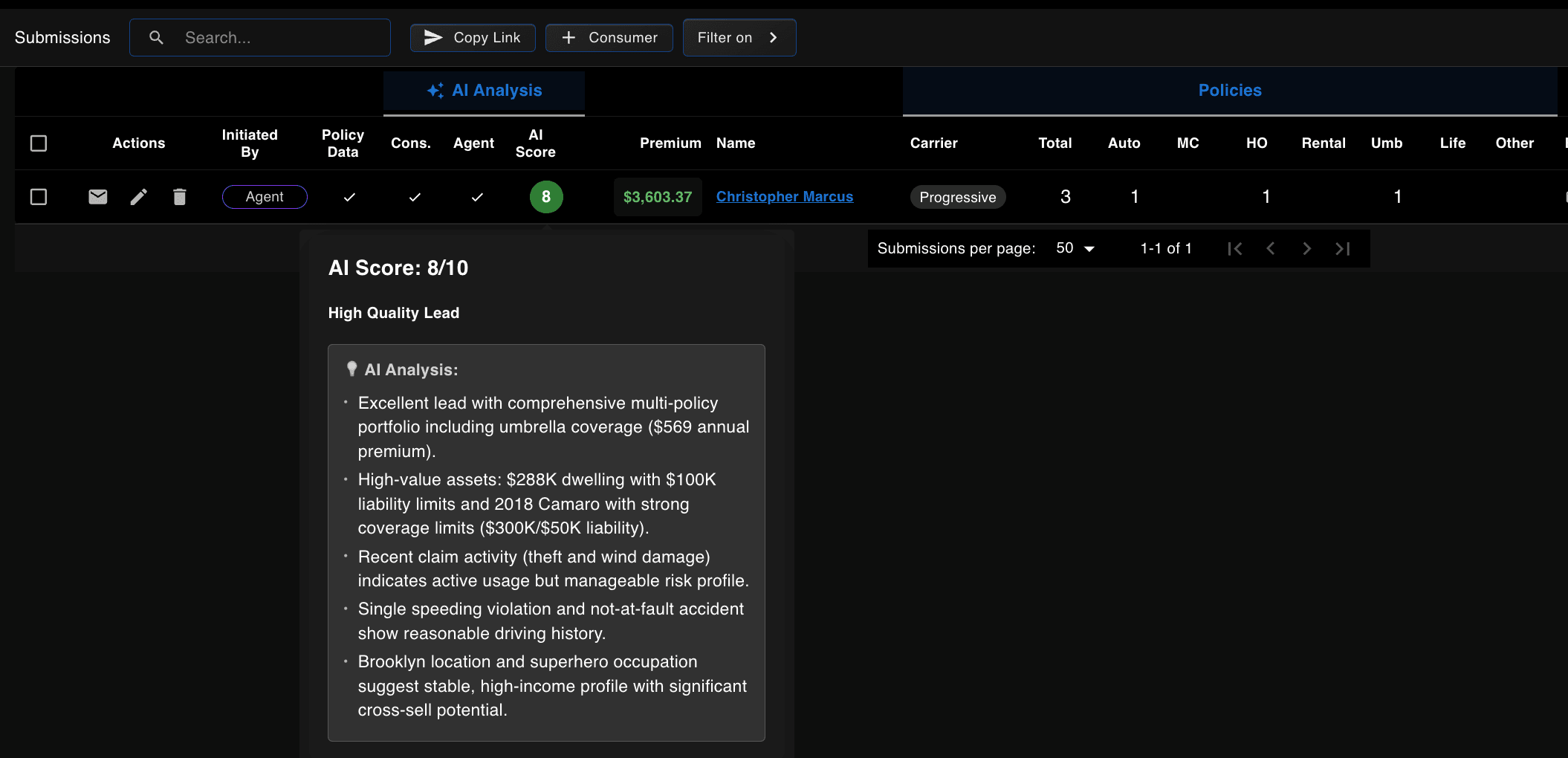
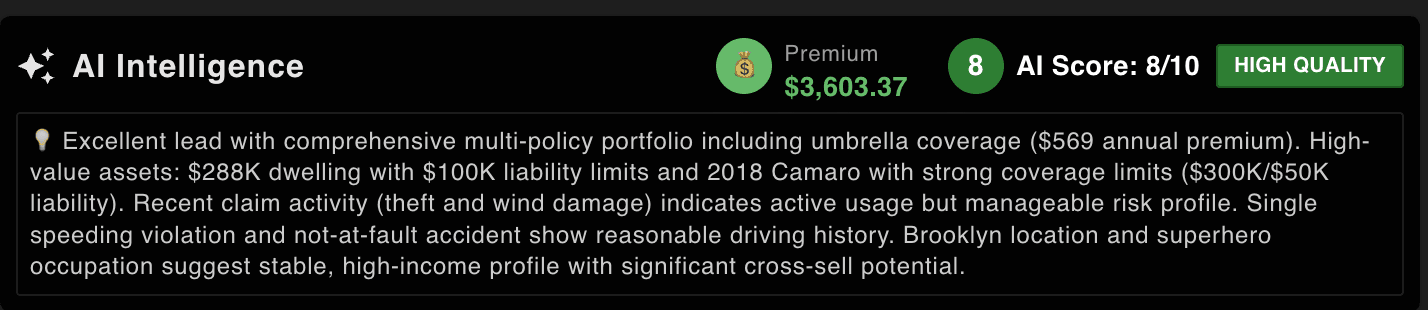
The score is not a black box. Hover it and you get the reasoning in plain terms — the policies they hold, the value of what is insured, the claims and violations behind it, and where there is room to write more. A producer can agree or disagree with it on the spot, which is the only way a score ever gets used.
One client
The whole household on one screen
Open a client and everything about them is already there: the policies they hold and with whom, the cars, the property, the drivers, the documents, and every claim they have made. Nobody assembled this by hand.
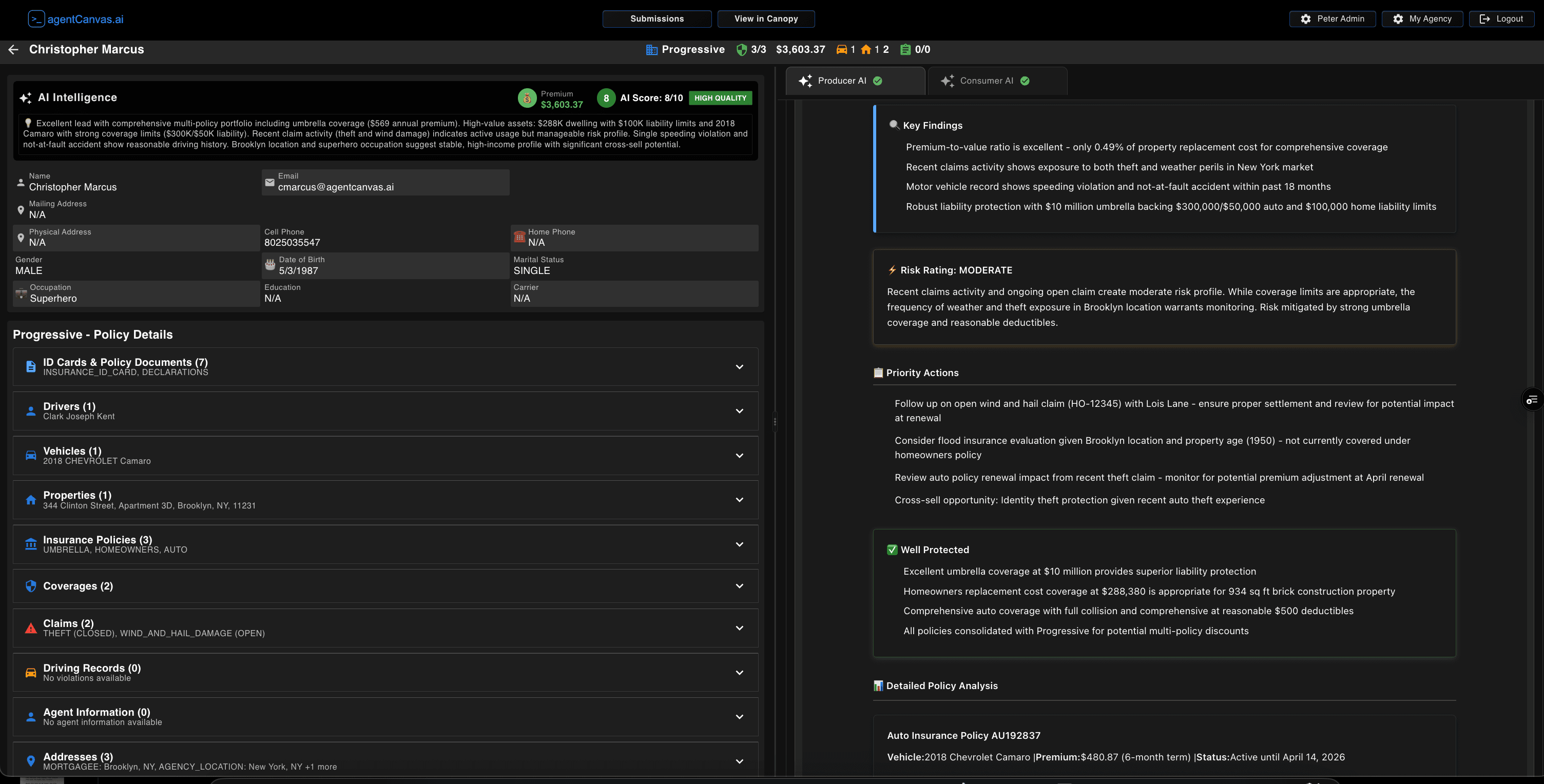 Everything about a client in one place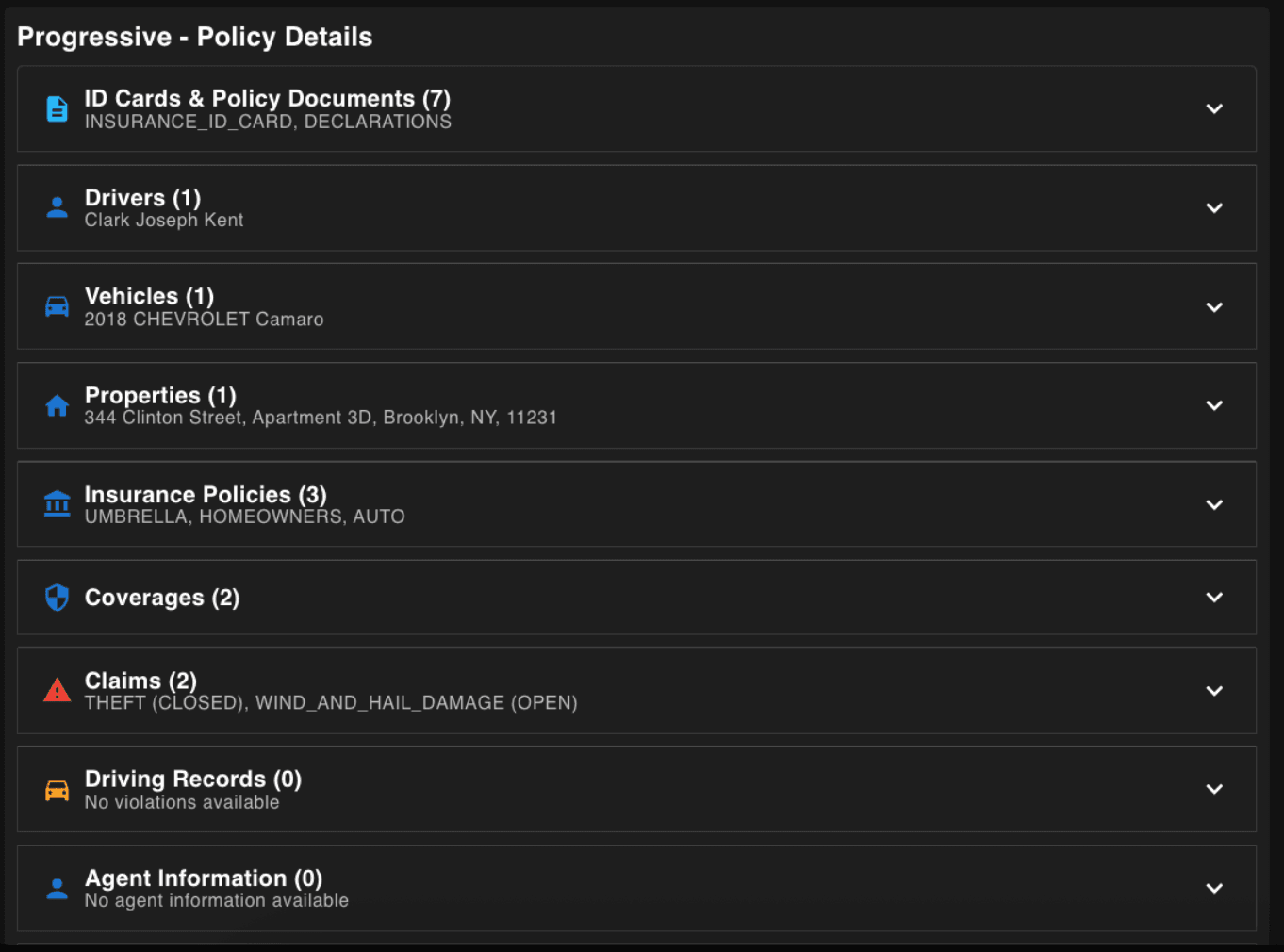
The detail comes straight from the carrier — declarations and ID cards, the drivers on the policy, the vehicles by year and model, the property and its address, the coverages and their limits, and the claims with their status.
That last part is what makes the rest possible. An open wind and hail claim is not a line in a file here; it is a fact the AI has, so it can tell a producer to chase the settlement before the policy renews.
What the AI actually produces
Two pieces of work, from the same reading
This is the part worth judging the whole platform on. From one pass over a client's record it writes two things: a briefing for the producer who owns the account, and a review the client can be sent.
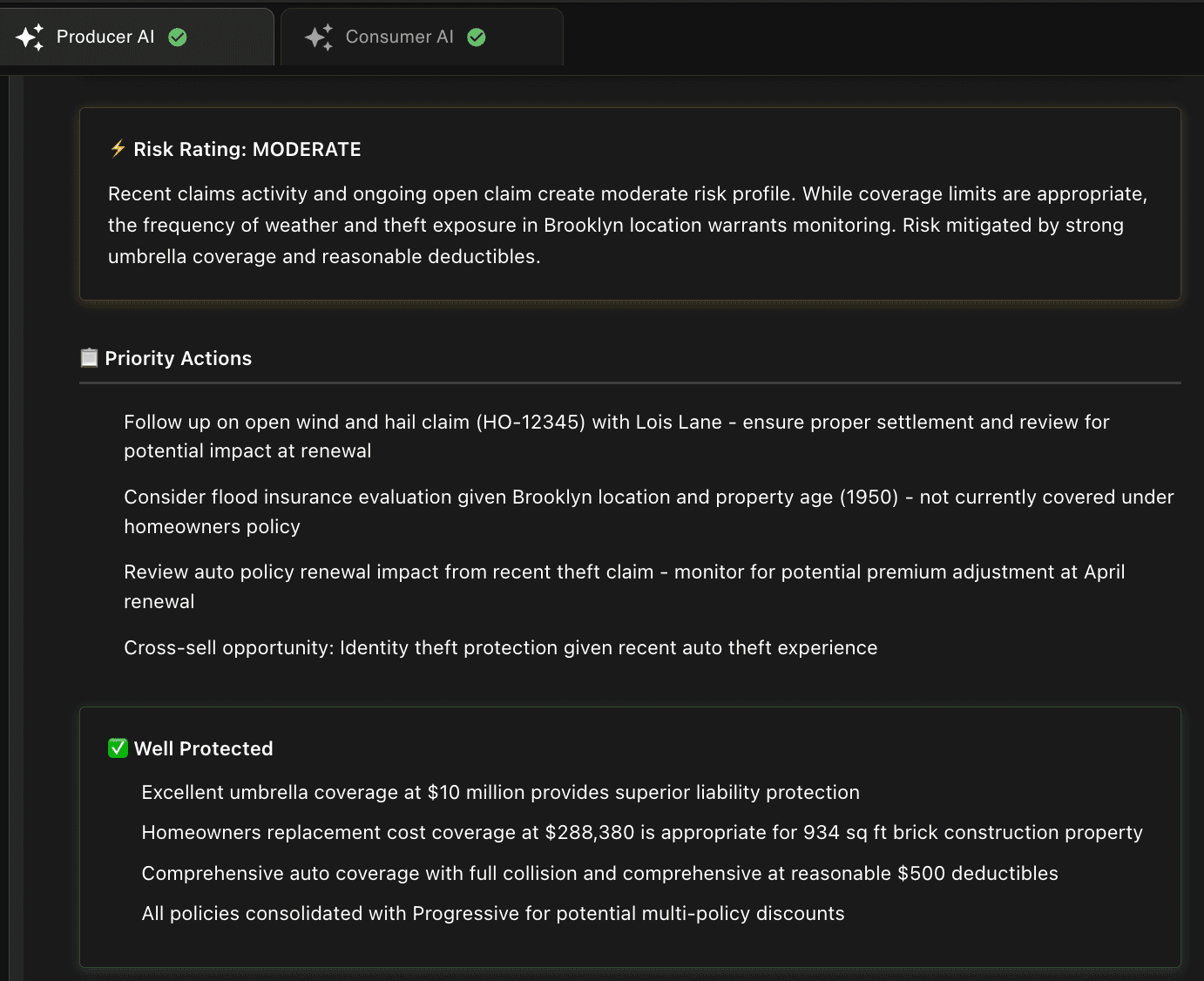 Written for your producer
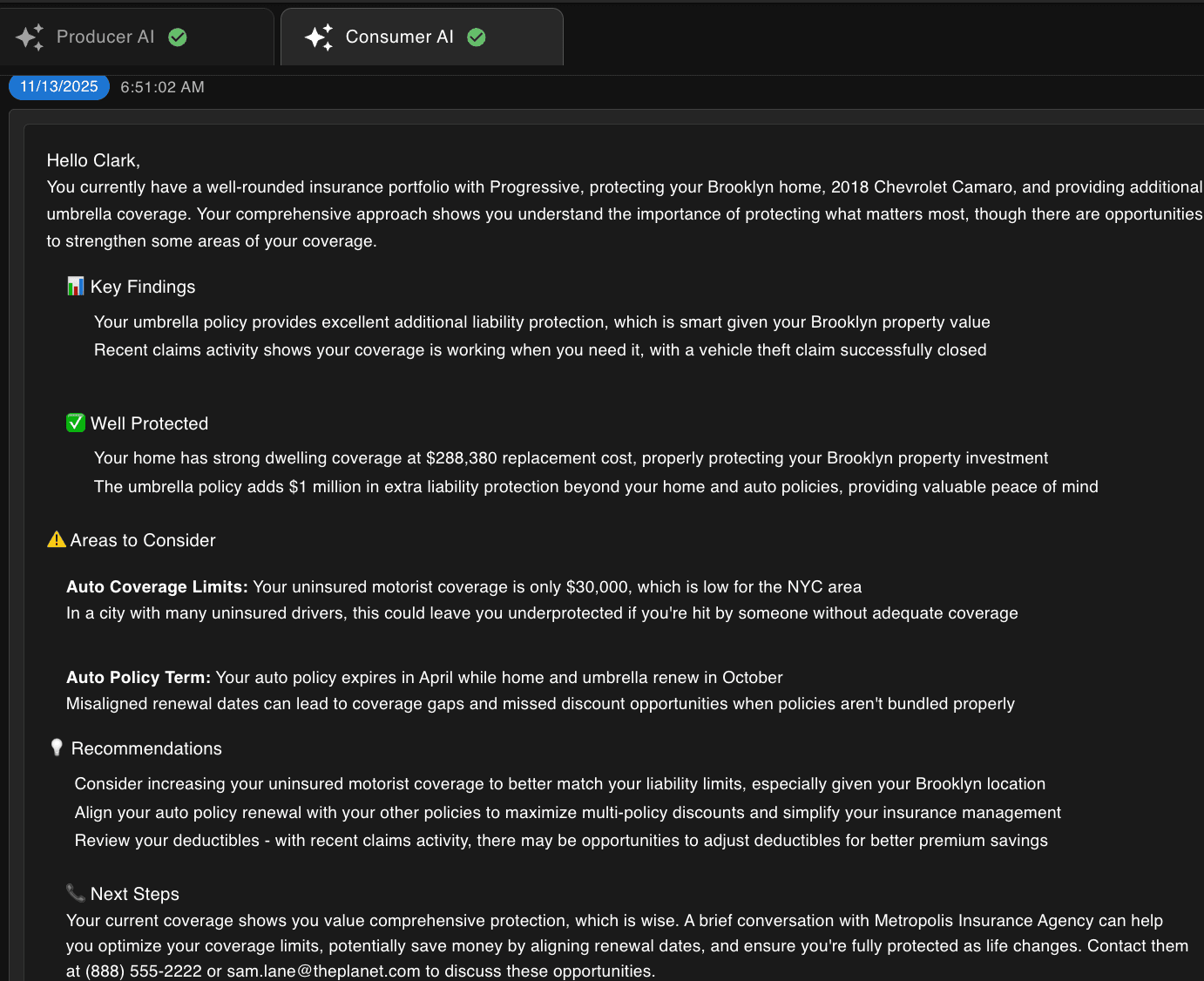 Written for your client
The producer's version is blunt and useful: a risk rating, the open claim to chase, the flood exposure nobody wrote, the renewal dates that fell out of line, and the cross-sell the recent theft claim opens up. It also says what is already fine, so nobody wastes a call.
The client's version says the same things in the register you would use in a letter — what they are well covered for, where they are thin, and what to do about it — and it signs off with your agency's name and number. A producer reads it, changes what they want, and sends it.
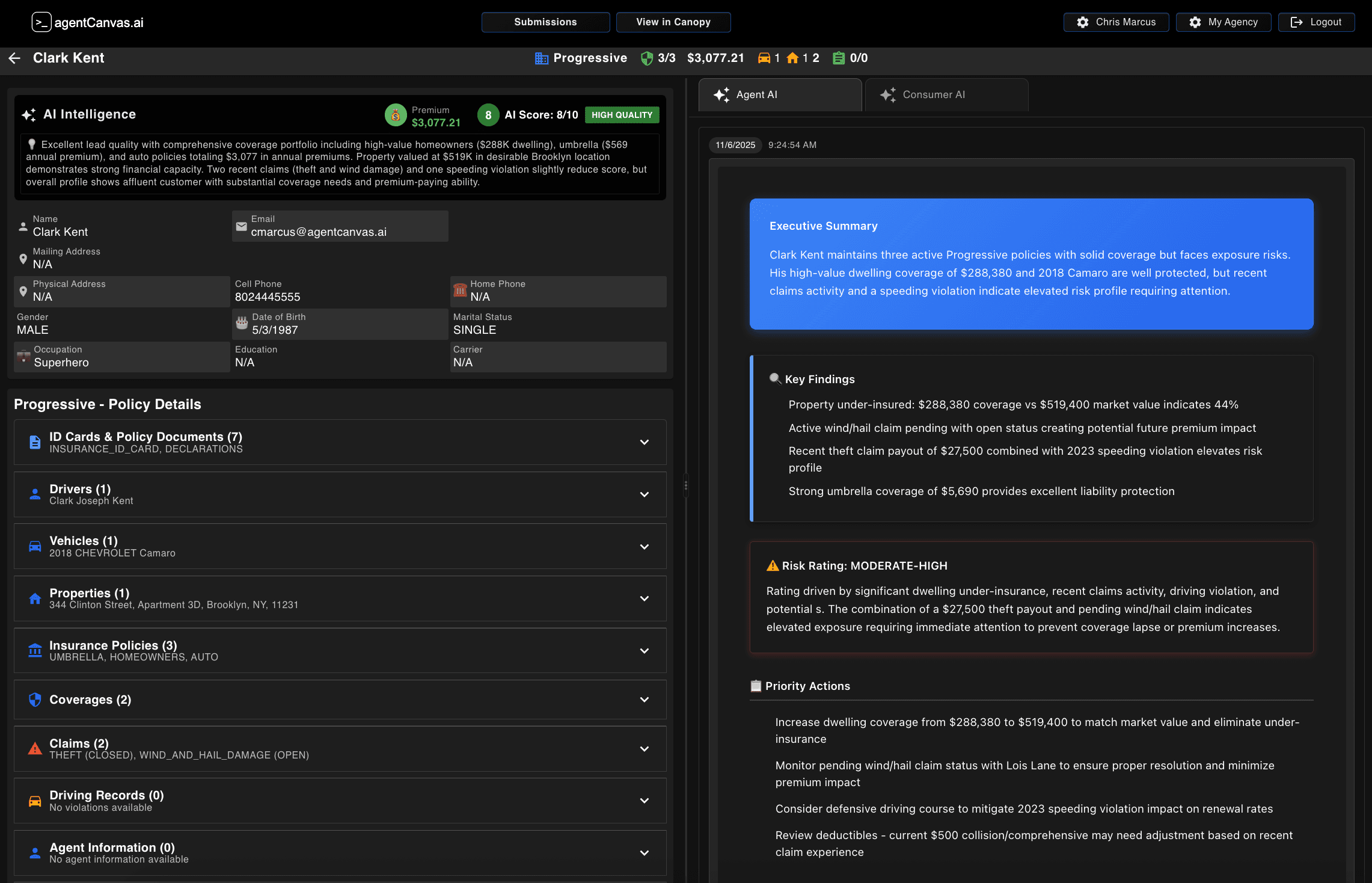 The kind of thing that gets missed
That is the case worth thinking about. A house insured for $288,380 with a market value of $519,400 is an errors-and-omissions problem waiting to happen, and it is invisible until somebody adds up two numbers held in different places. Across a whole book, that is the work no agency has the hours to do by hand.
The day's work
Ranked before anyone opens a file
A producer opens the platform to an ordered list rather than a pile of activity. Renewals coming due, accounts that need a call, and conversations that stalled overnight are already sorted by what needs attention first.
The ranking is built from the same full picture the rest of the platform works from, policies, claims, email and anything already flagged on the account, so it reflects what is actually true about a client rather than what changed most recently. It rebuilds itself as new mail and carrier data arrive.
Every item carries an owner, a due date and a next action, not just a description of what happened.
Items are ranked rather than listed by date. What matters most sits at the top.
Assignment is visible to the whole agency, so coverage never depends on one person remembering.
Renewals, calls to make, and threads that stalled, already in order.
Capture pending
And carrier mail sorts itself
Carrier mail is the tax every agency pays, and most of it gets filed by hand.
Each message is read on arrival, understood for what it is — a renewal, a cancellation, an endorsement, a billing notice — and matched to the client it concerns.
The same inbox can be grouped by transaction, by client or by carrier, without anyone setting up a folder or writing a rule.
It belongs to the agency rather than to one person, so nothing sits unread because it landed with somebody who is out that week.
A message becomes a tracked piece of work in a single step.
The inbox by transaction: renewals, billing, endorsements and cancellations, counted and sorted on arrival.
Capture pending
Chat
53 tools built for insurance work
This is not a chatbot with your documents bolted on. Asking a question sets off tools that work on your agency's own book — its policies, its clients, its carriers — and you can see every one of them in the conversation as it happens. All of it is recorded. Nothing runs out of sight.
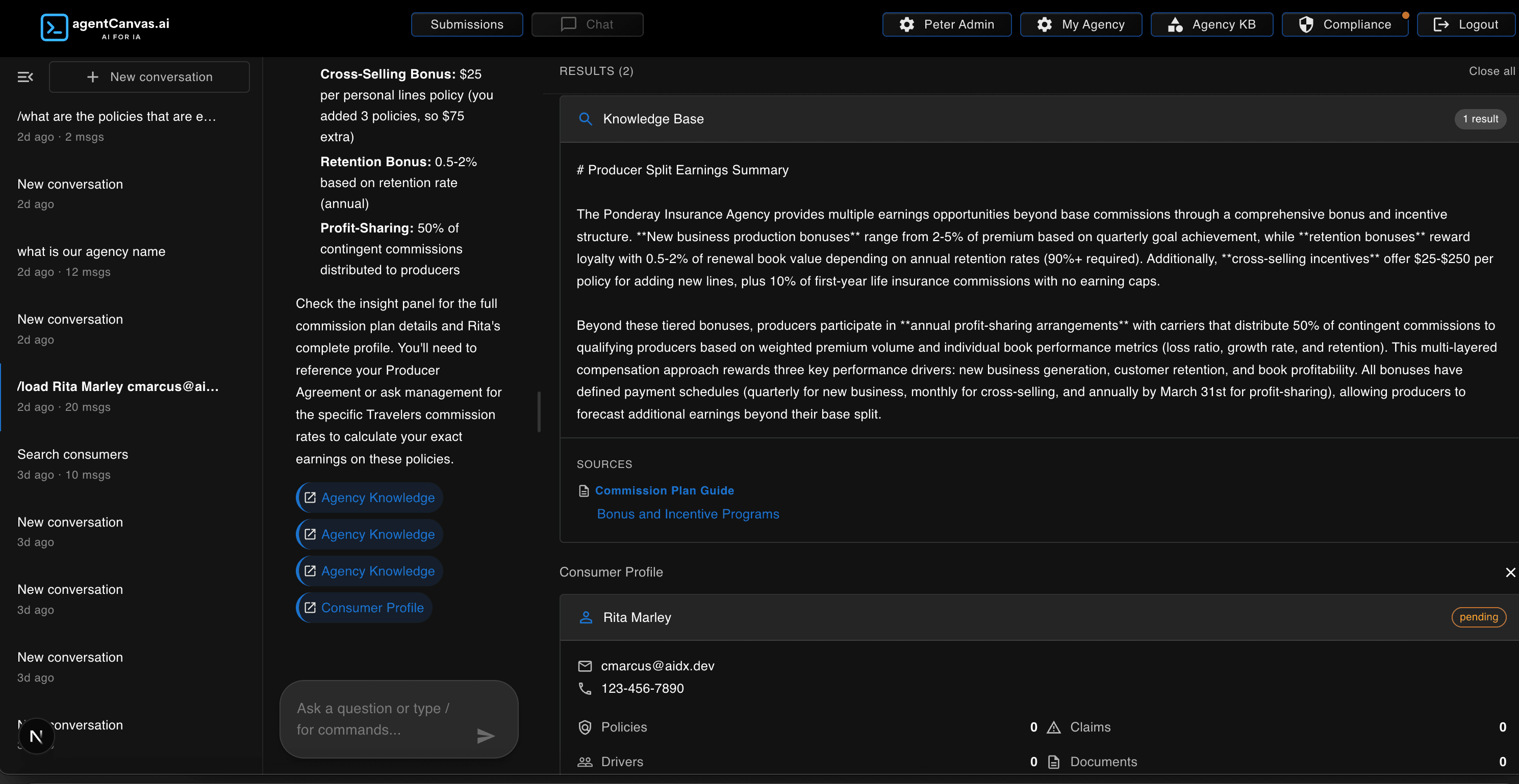 Answered from your documents
Note what is being asked there. Not a question about an insurance document — a question about how your own agency pays its producers, answered out of your own commission plan, with the document it read linked underneath. Your staff can ask it how the agency works, not just what a policy says.
Common work is one command away.
Capture pending
Client intelligence
- “What policies does this household hold?”
- “Pull a pre-call brief before I dial.”
Coverage analysis
- “Where is this account underinsured?”
- “Run a coverage audit and show the gaps.”
Book management
- “What renews in the next 30 days?”
- “Break my book down by carrier.”
Communications
- “Draft the renewal outreach for this client.”
- “Summarize this thread for the file.”
Daily operations
- “What should I work on today?”
- “Triage what came into the inbox overnight.”
Compliance
- “Show me current compliance status.”
- “Pull the audit trail for last month.”
The second application
Something to put in front of your clients
A separate app your clients use, carrying your agency's name rather than ours. They connect their own carrier account, and their policies come across without anyone emailing a declarations page around.
Step one for your client: find their carrier.
Capture pending
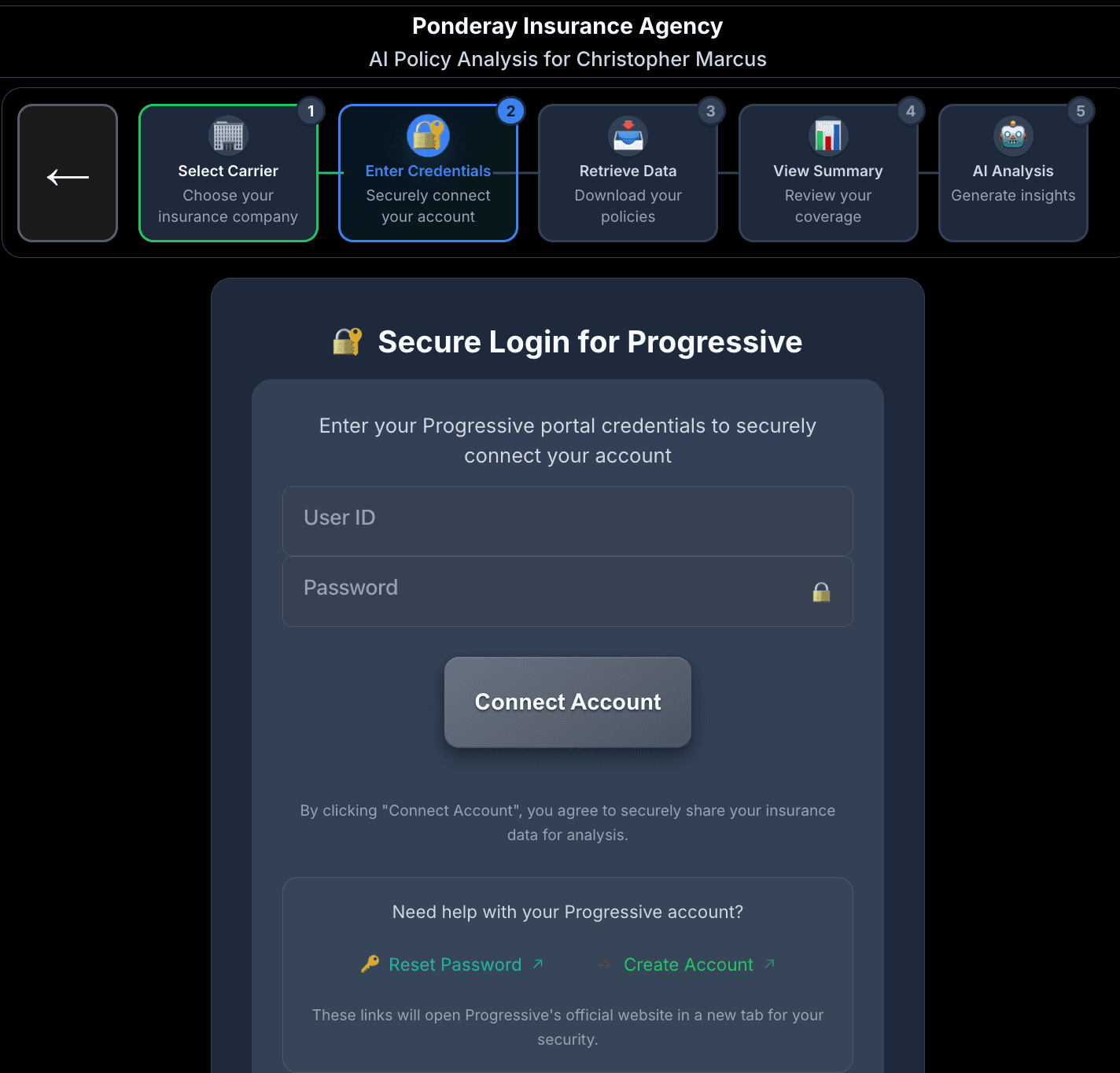 Your branding, not ours
And the end of it: their policies gathered, and a plain-language read on their coverage.
Capture pending
Five steps, in the client's language: pick your carrier, sign in, we fetch your policies, here is a summary, here is what we found. At the end of it your agency has their full book — and they have a coverage review they did not have to ask for.
This is the piece that turns a quote request into a household you can actually advise. It is the second of the three applications, and it transfers with everything else, source and all.
Making it yours
Where version one ends and your agency begins
Everything below is a setting rather than a development job, changed by your own admins inside the product. This is the first layer of extending the platform, and it is the layer most agencies will live in. Underneath it, your engineers have the source code and no ceiling at all.
Your rules, in writing
Your procedures, carrier appetite guides, commission plans and internal rules go in once. From then on the AI reads them while it works, so what it recommends matches how your agency actually operates rather than how software assumes an agency operates.
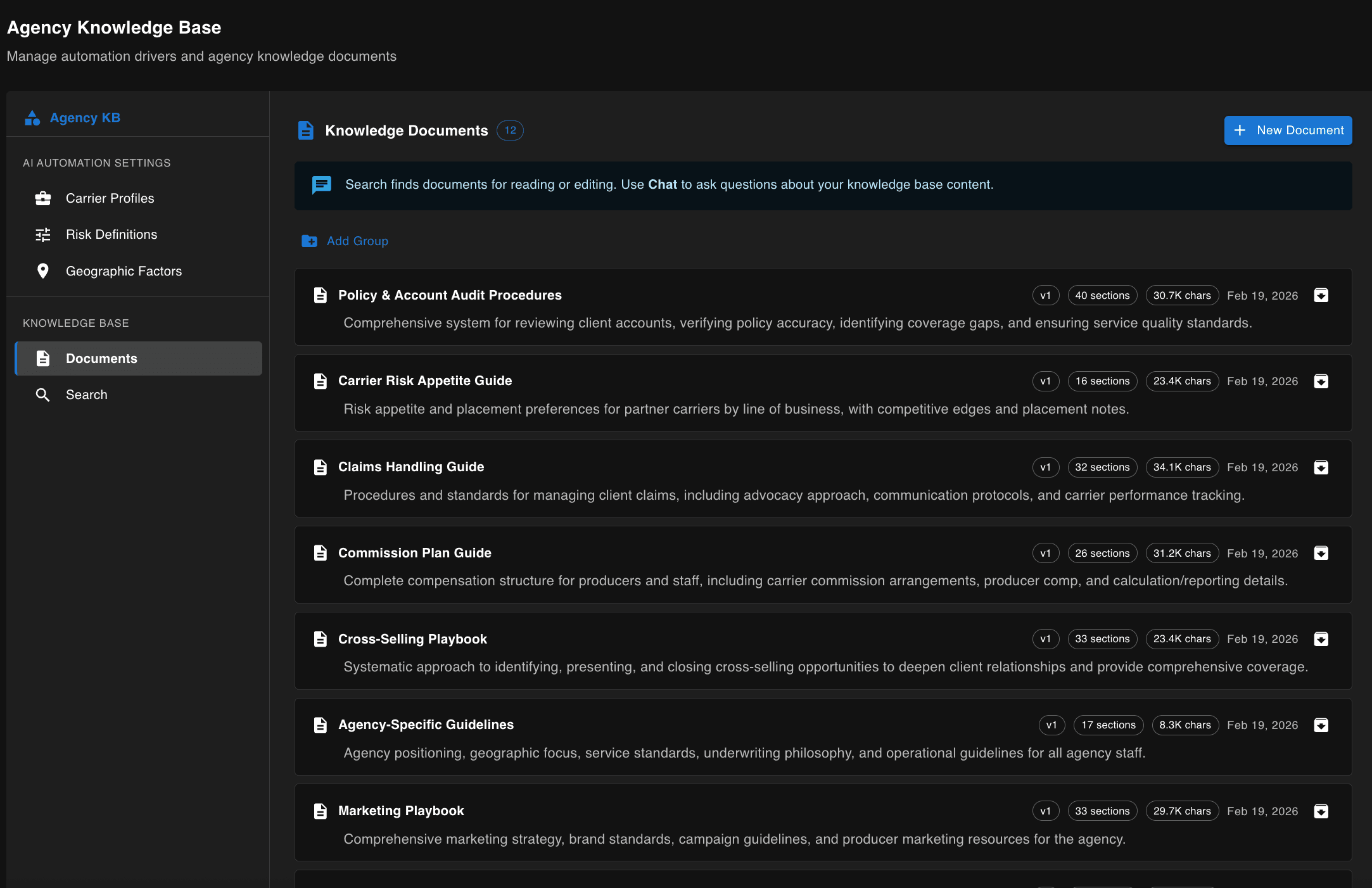
What counts as a good account
Every agency means something different by a good account. Set the weight on premium, on the number of policies, on the value of the property or vehicle, on claims and violations, on whether they carry an umbrella. The scores across your whole book change to match.
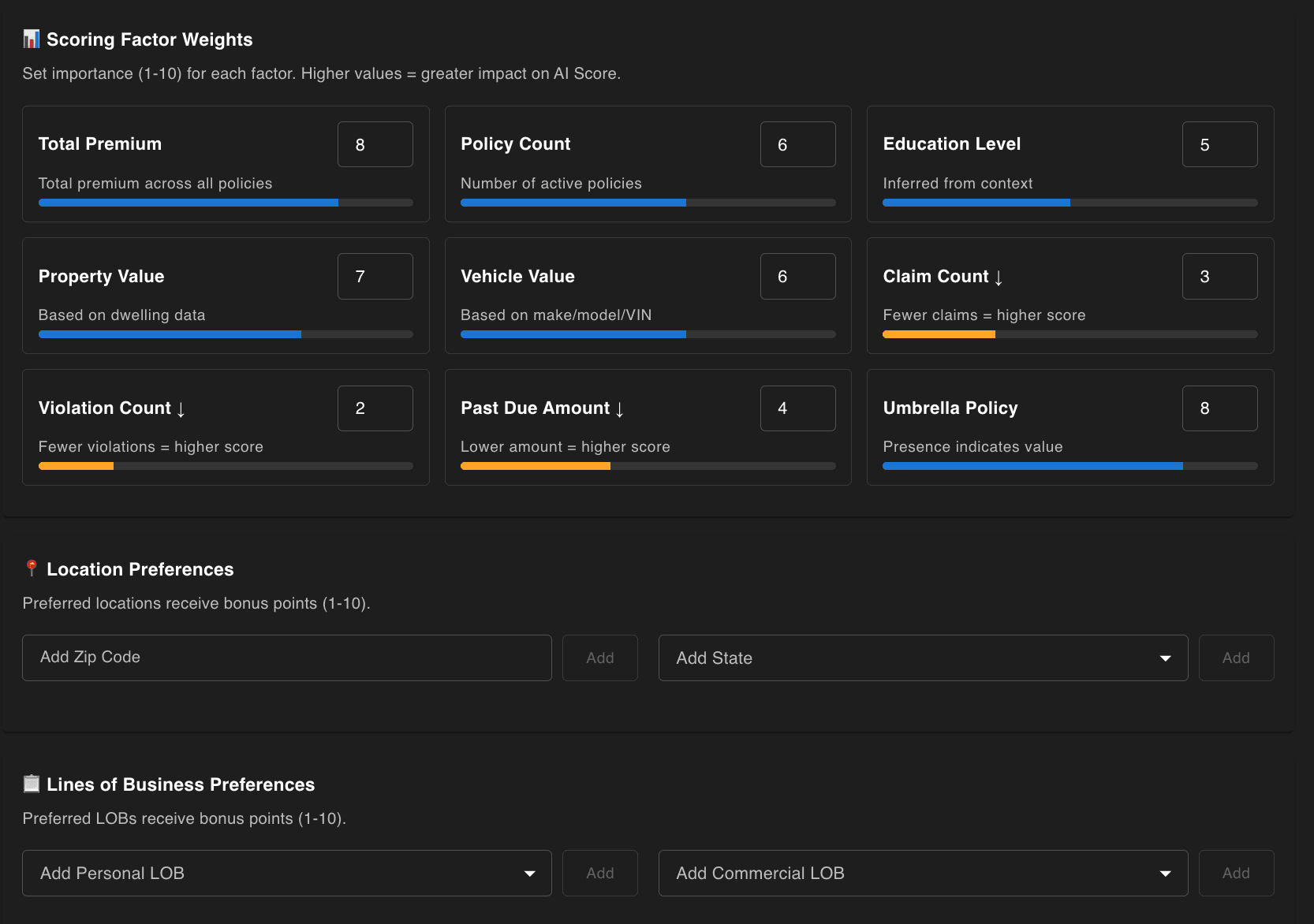 No engineer involved
Where you want to write
Your appetite by state, city and ZIP code, with a weight on each. A home state you want more of, a state you have decided not to write in at all. A new producer inherits the agency’s judgment instead of learning it the hard way.
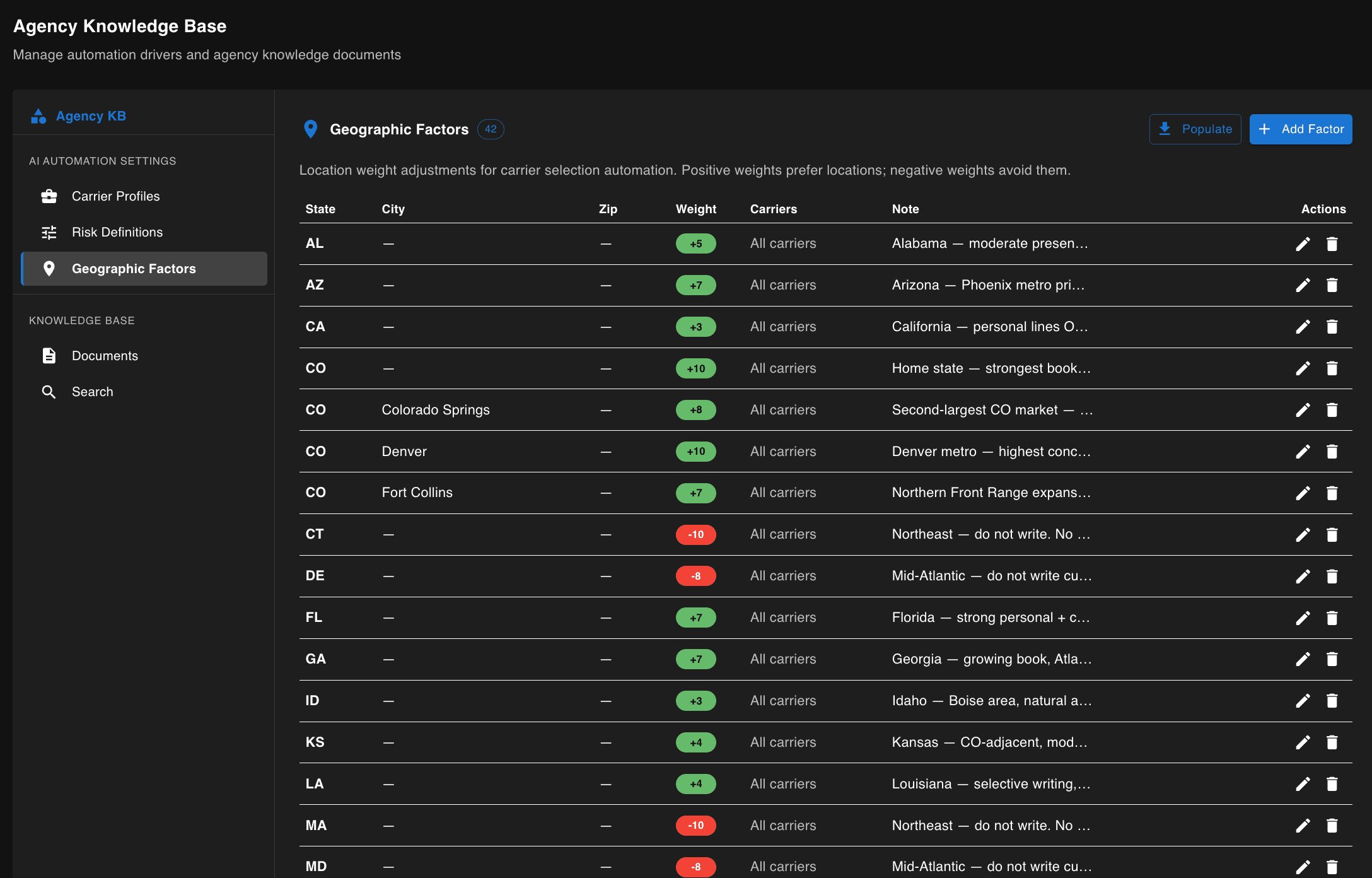
How far the AI goes on its own
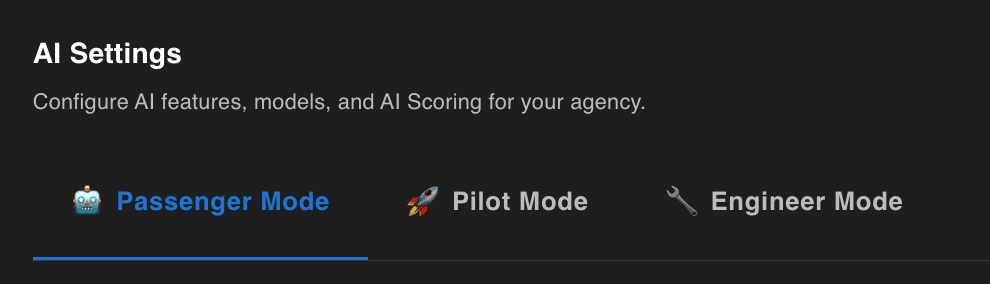
Three settings. At the first the AI watches and suggests while your people drive. At the second it does the work and your people check it. The third is for whoever is tuning it. Most agencies start cautious and move along as their staff see enough output to trust it.
How it writes, and to whom
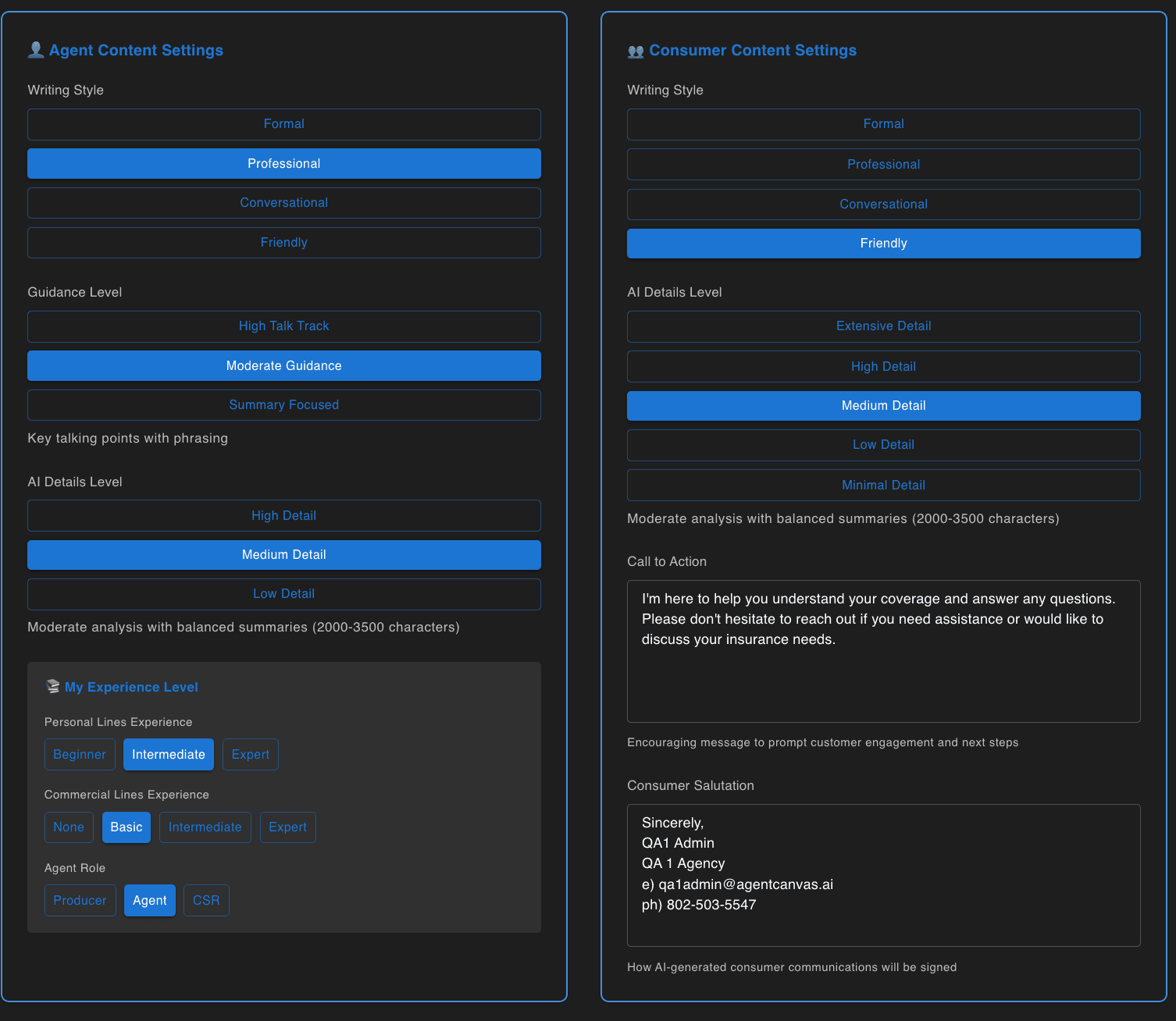
A briefing for an experienced commercial producer should not read like a letter to a first-time homeowner. Writing style, level of detail, how much hand-holding, and the sign-off are all set separately for your staff and for your clients.
And your staff write the AI's instructions
A prompt is the written instruction the AI follows. Your admins write them in the product, test them against real data on the spot, and save them with a note about what changed. From then on everyone in the agency can run them.
Written by your own staff
Filled in from the record being read
Tested before anyone relies on it
Every edit is kept
Written by admins, used by everyone
Writing and testing it
Write a prompt, test it on real data, save it. Everyone can run it.
Capture pending
Everyone can run it
Saved prompts, available to every user in the agency.
Capture pending