Workspace
What your team opens every morning
A ranked brief, a work queue with a next action on every item, a classified inbox, a chat that operates on your own book, a knowledge base the AI can read, and prompts your own admins write. This is the product your staff uses, not a demo of one.
Morning Brief
The day is ranked before anyone opens a file
A producer opens the workspace to a ranked list, not a pile of raw activity. Renewals coming due, accounts that need a call, and threads that stalled overnight are already ordered by what needs attention first.
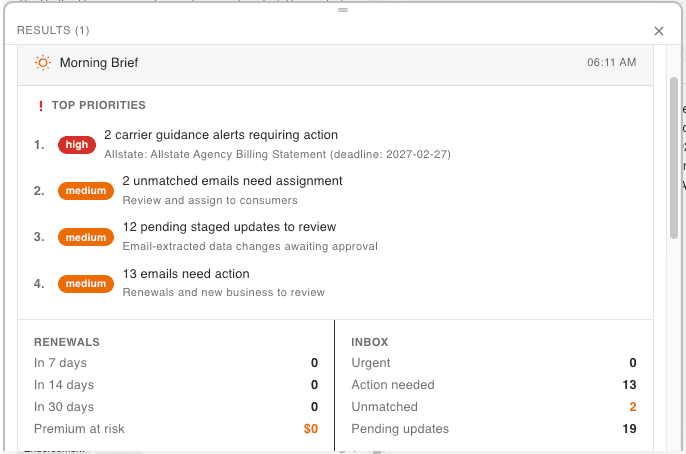
The brief draws on the same entity-complete context the rest of the platform reasons over — policies, claims, email, and prior findings — so the ranking reflects what is actually true about an account, not just what changed most recently.
It regenerates as new mail, carrier pulls, and payloads land. Nobody curates it by hand, and it is never a stale snapshot from the last time someone opened the app.
Work queue
Work items with a next action already attached
A work item is not a note to self. It is a ranked, assigned unit of work with a due date and a concrete next step, built from the same context the Morning Brief reads.
Every item carries an owner, a due date, and a next action — not just a description of what happened.
Items are ranked, not listed chronologically. What matters most sits at the top of the queue.
Assignment is visible to the whole team, so coverage never depends on one person remembering.
The work queue: what needs attention, ranked, with the next action attached.
Capture pending
Existing capture predates the May 2026 workspace unification.
Shared inbox
Mail arrives already sorted into work
The inbox is shared across the agency and classified on arrival, so nothing sits unassigned just because one person's mailbox happened to receive it.
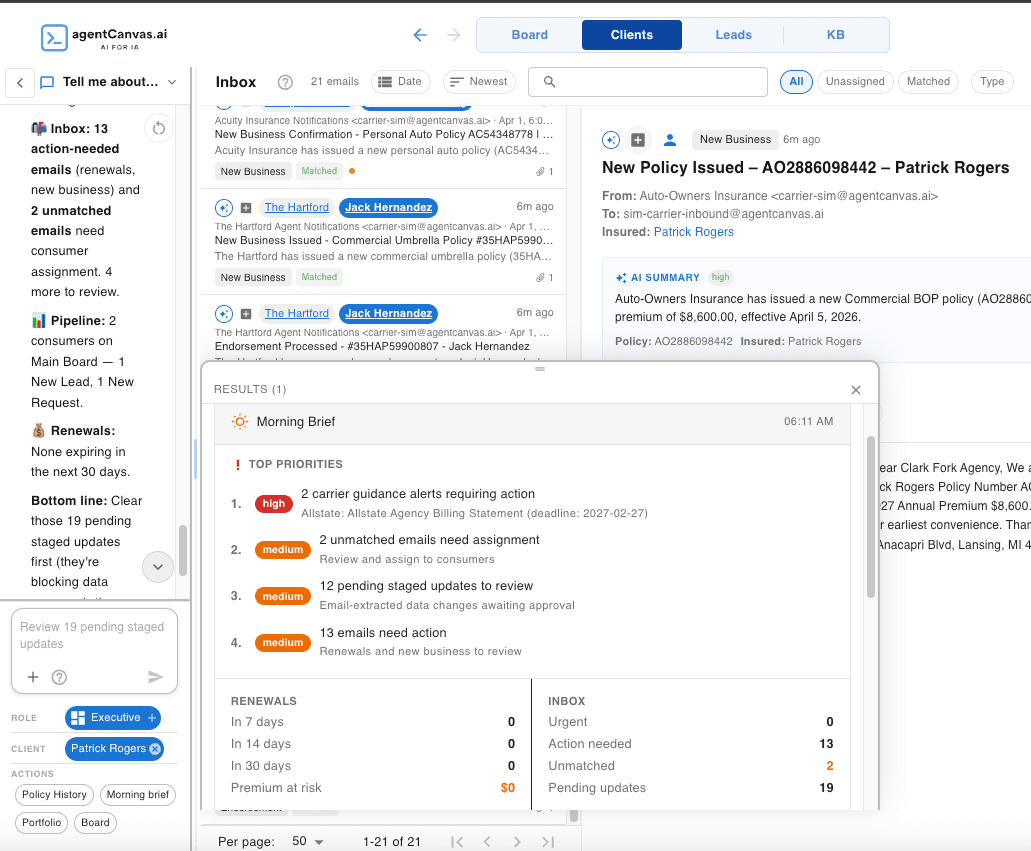
Every message is classified and linked to the client account it concerns before a person reads it.
Threads nest, so a reply chain reads as one conversation instead of a stack of separate messages.
Triage promotes a message straight into a tracked work item — no separate step to open a ticket.
Inbox to work item to drafted reply, without leaving the page.
Capture pending
Chat
54 tools built for insurance, not generic function calls
Chat calls tools that operate on this agency's own book — its policies, its clients, its carriers — and every call is visible in the transcript and recorded in the audit trail. Nothing runs silently in the background.
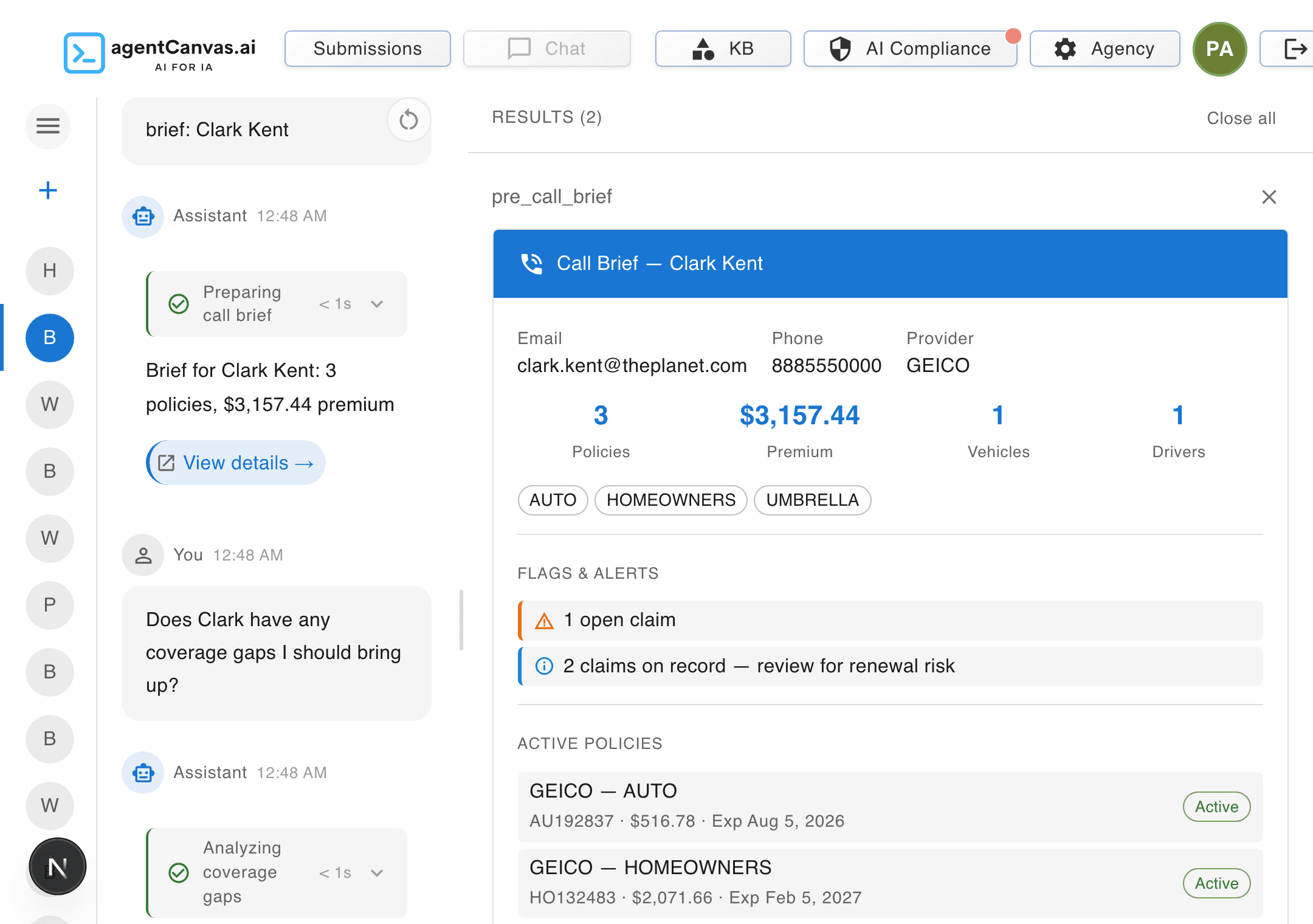 Every tool call is visible and logged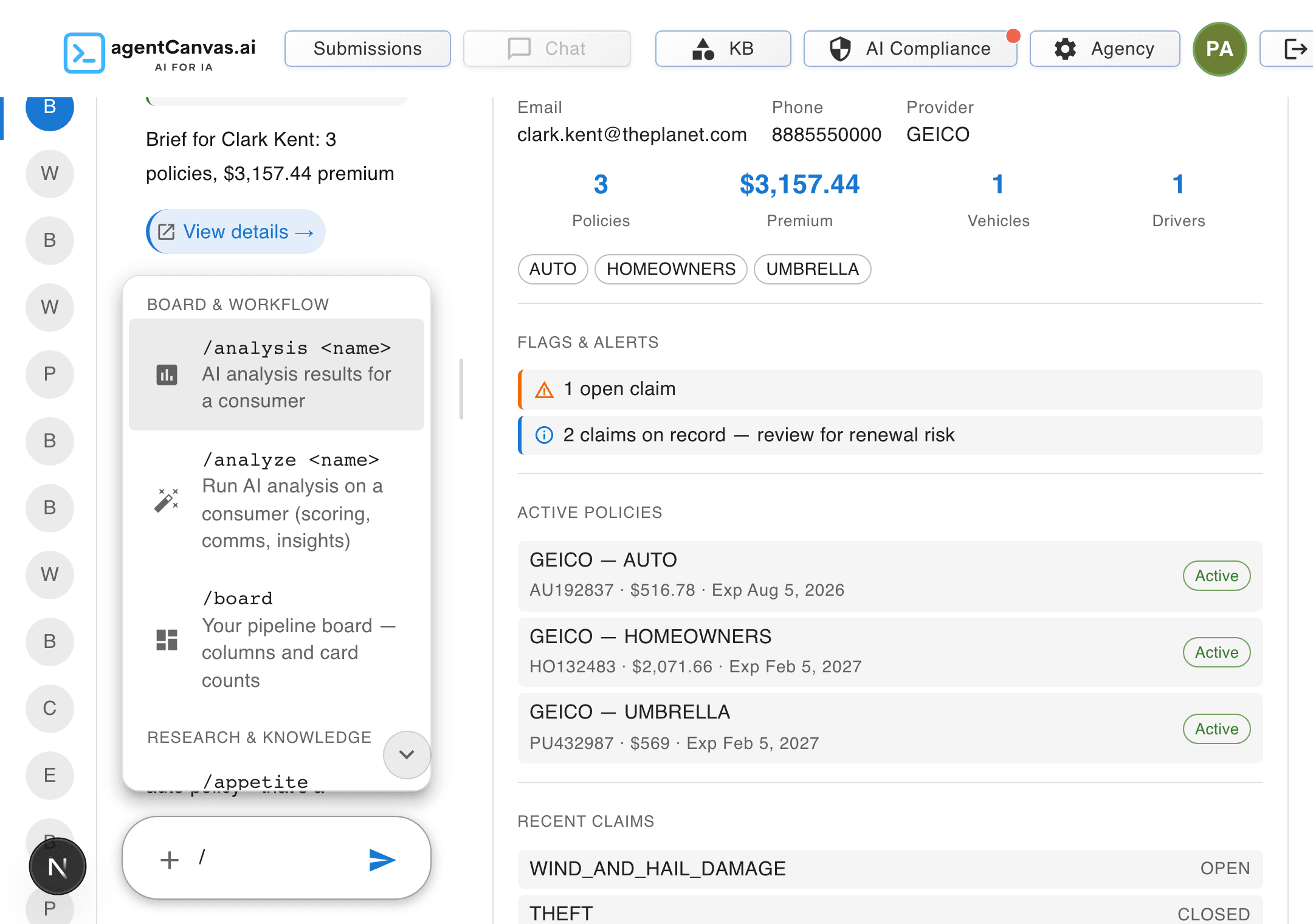
Client intelligence
- “What policies does this household hold?”
- “Pull a pre-call brief before I dial.”
Coverage analysis
- “Where is this account underinsured?”
- “Run a coverage audit and show the gaps.”
Book management
- “What renews in the next 30 days?”
- “Break my book down by carrier.”
Communications
- “Draft the renewal outreach for this client.”
- “Summarise this thread for the file.”
Daily operations
- “What should I work on today?”
- “Triage what came into the inbox overnight.”
Compliance
- “Show me current compliance status.”
- “Pull the audit trail for last month.”
Knowledge base
Your documents, reachable by the AI
Your SOPs, appetite guides, and procedures.
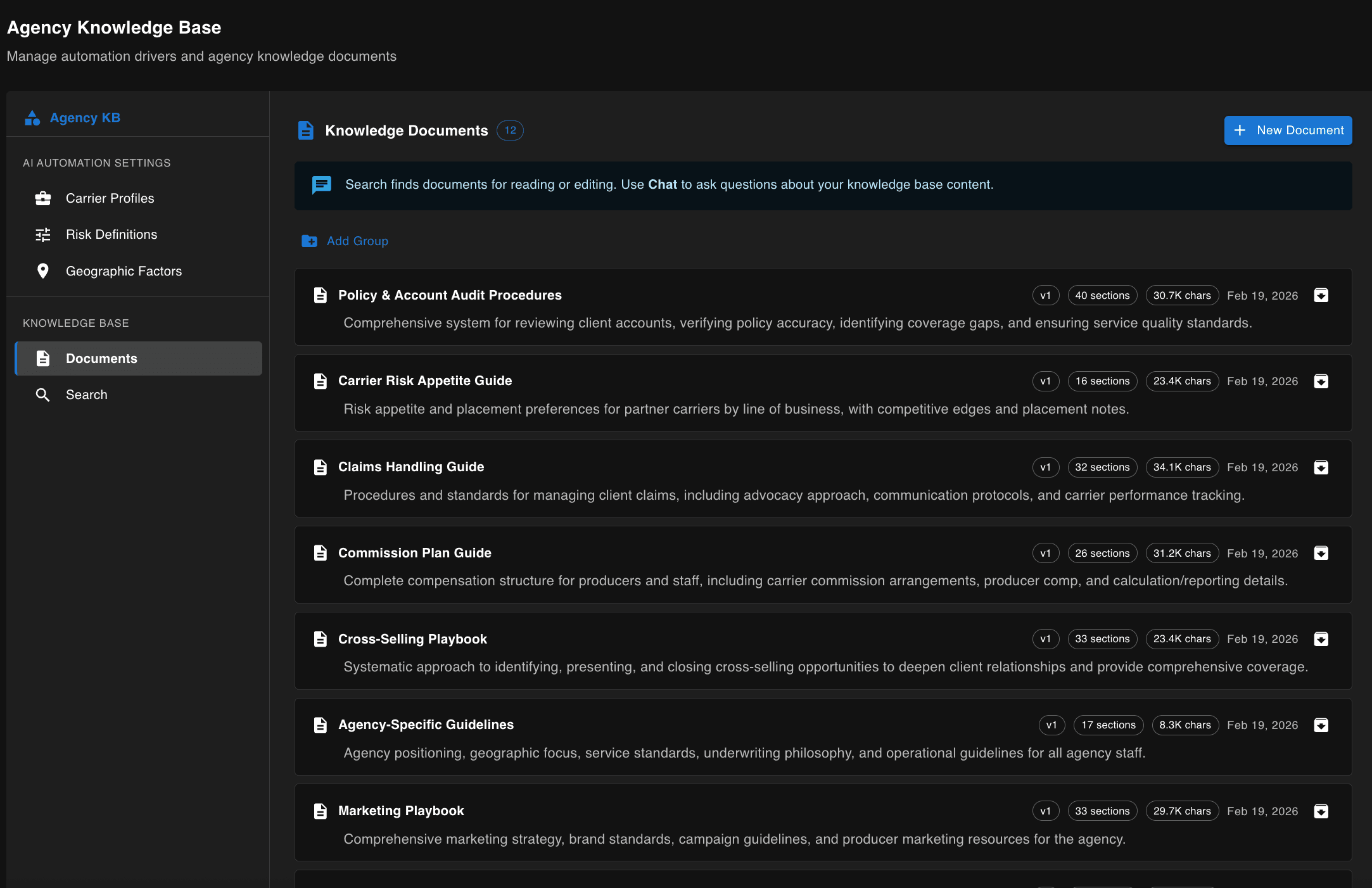
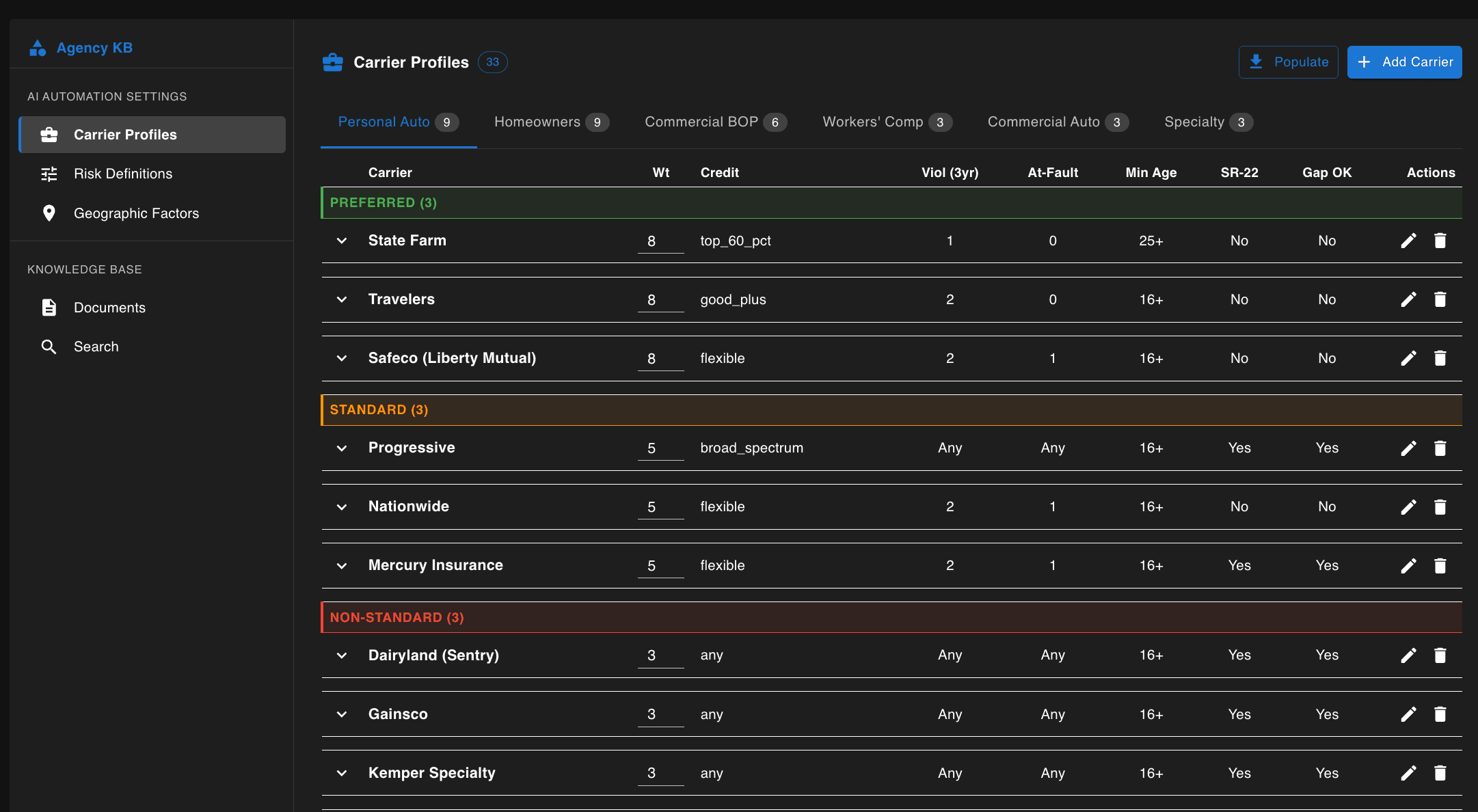
SOPs, appetite guides, commission plans, and internal procedures are indexed for retrieval and read alongside policy and client data during analysis and chat — not filed away in a document library nobody opens.
Agency-authored prompts
Business users write the prompts. Not developers.
This is the extensibility story: no engineering team, no ticket, no deploy. An admin — the person who already knows the work — writes a prompt in the product, tests it against real data inline, and saves it as a new version with a reason for the change. From that point on, every user in the agency can run it.
Authored by your agency
Templated against your data
Tested before they ship
Versioned, never overwritten
Authored by admins, used by everyone
Fire automatically on new data
Authoring and testing
Author a prompt, test it on real data, save it. Everyone can run it.
Capture pending
Must cross from the admin editor to a second user running the saved prompt.
Every user runs it
Saved prompts, available to every user in the agency.
Capture pending
Requires custom prompts seeded in the demo agency.